The Best Mentimeter Alternatives
Discover the best Mentimeter alternatives in 2027. Compare features, pricing, and reviews to find the right interactive presentation tool.

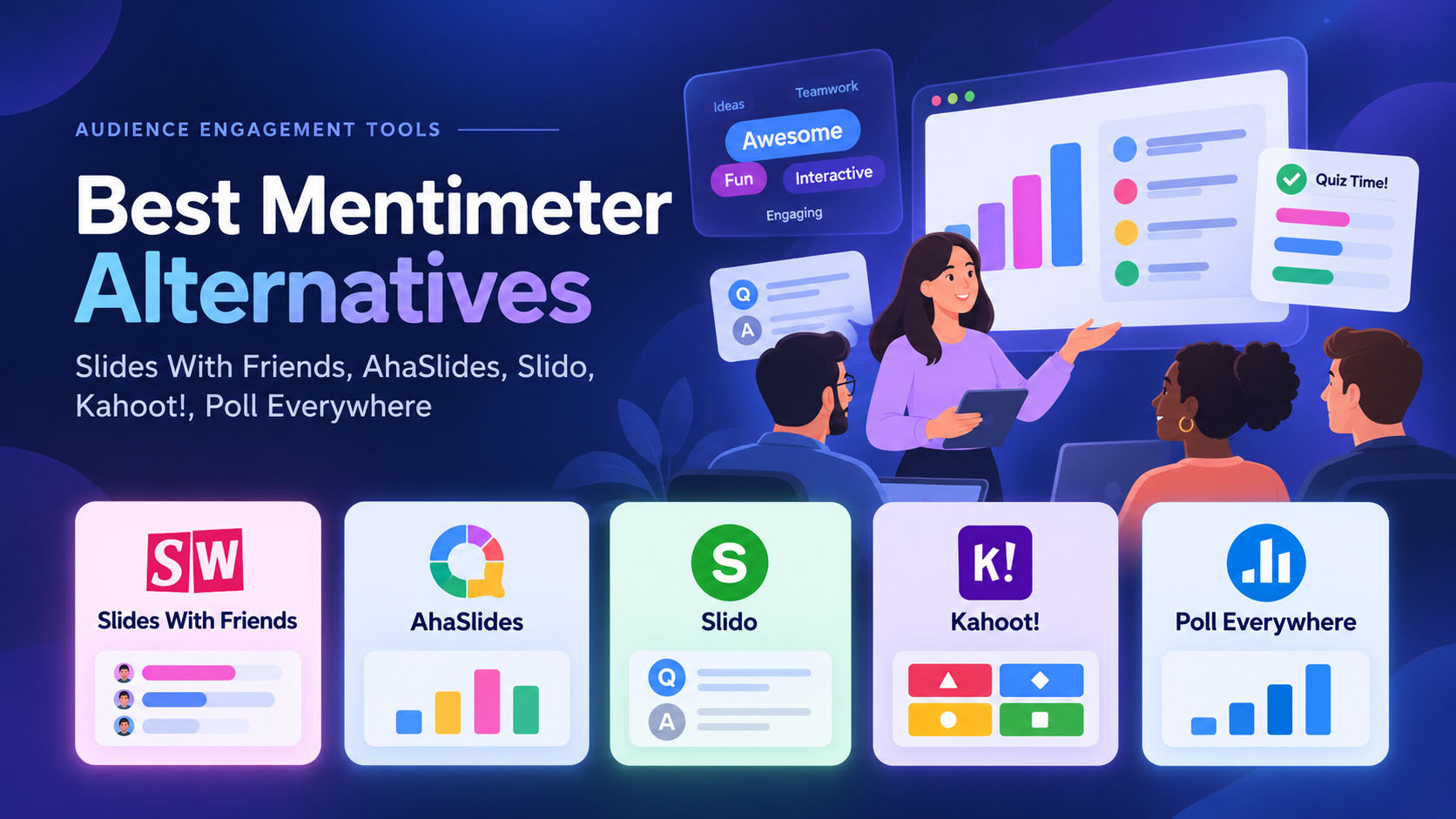
Mentimeter isn’t it (for you, right now). Maybe the price point is too high, maybe you want more participants than their limits, maybe it’s feeling out of date, maybe you need something US based… so many reasons.
Why listen to us: we are a team of industry experts. We’re building our own tool that enables interactive presentations, and have been working for years with all of the tools on this list (and way more). We know the ins and outs.
Most importantly, we know what’s right for someone based on what you need and what types of events you’re running.
Let’s gooo:
1. Slides With Friends
2. AhaSlides
3. Kahoot
4. Poll Everywhere
5. Beekast
6. StreamAlive
Here's a video overview, if that's how you like to roll. And, at the bottom, we've got a deep dive into our top four tools, so you can scroll if you want. Butlet's start off with a well balanced look into our list of 6.
1. Slides With Friends

Overall: Slides With Friends is a top option for “Mentimeter but better”. It enables interactive presentations like Mentimeter does (so you can do all the polls and quizzes same same), in a similar format, but with more engagement-oriented design and set up. It’s got strong designability, so you can use it with / in lieu of PowerPoint — like, make your static slides, lay them out, style them, etc. Then add your interactive elements. Big rec.
Who for: Trainers, team leads, managers, teachers, speakers— anyone running something where they’d use PowerPoint, but want to make it more interactive / get real results / play, Slides With Friends is the best alternative here.
What for: Trainings, meetings, town halls, lessons / classes, conferences, speaking, etc. If you’re running a live event and want to engage an audience, have them retain information better, enjoy the process, and have real data after the fact, this is a good option.
The good: It’s maximally flexible, and the prettiest option out there. If you want to design a slide and present something that looks beautiful and professional, with your interactions built-in to a seamless “whole presentation / no flipping between tools” platform, this is great.
The bad: If you want to host larger groups you’ll need to upgrade. There are some PPT features missing like animations and drawing.
The pricing: Starts at $8/mo billed for the year.
Want more? See our Slides With Friends Deep Dive
2. Aha Slides

Overall: AhaSlides was originally a pretty close clone of Mentimeter, out of Singapore. Since they borrowed the idea 7 years ago, they’ve added their own special sauce and went more “fun & engagement” and less “tool”. The key point here is: it’s mentimeter, but cheaper. If you want the same tool, (especially if your main pain point is pricing), this is a really good alternative option.
Who for: Trainers and meeting facilitators, teachers / lecturers. It’s a fairly flexible tool that enables interactive presentations, so if you’re talking to a group and want polls/feedback etc, it’s a good option.
What for: Interactive meetings, lessons, workshops, and team activities. There are polls, word clouds, quizzes, Q&A, surveys, and a spinner wheel for picking names or options.
The good: Since it’s basically Mentimeter, if you’re coming from there, you’ll be immediately familiar with the UX/UI. It’s your classic “ppt meets interaction” platform, though not as designable as Slides With Friends or as robust as Mentimeter.
The bad: The free audience allowance looks generous, but the question limit is the catch: three poll questions and five quiz questions per presentation. Enough for a few check-ins; restrictive for a full interactive workshop.
The pricing: Free for 50 participants per presentation, with unlimited presentations monthly. Essential starts at $8/month, billed annually, for 100 participants; monthly subscriptions are also available.
Want more? see our AhaSlides Deep Dive
3. Kahoot

Overall: Kahoot was the original classroom tool. They’re kicky and fun, powerful, and enggement first. Think of them like Big Business classroom quizzing.
Who for: This is for educators and students, more than corporate. They do have a corporate side, but it’s less their focus than kids — the style is fun and childlike with bright primary colors and simple shapes.
What for: Classrooms, lessons, and student games and quizzing.
The good: Kahoot has been around, you can do anything with it from integration to finding premade content to generate AI content and beyond. You can assign homework or
The bad: Oof everywhere you click it’s like you smack into a paywall. You can’t do a simple poll for free in a business account, for example. Once you upgrade it’s a little more friendly (and the upgrade-push popups are fewer between each page). Of course, when you land there, it’s so cluttered and bloated, finding anything is like hunting for that needle and the haystack is the Kahoot UX. Last, it’s gonna look like Kahoot (it’s not a PPT replacement, it’s an additional tool in your belt, that you have to switch around between).
The pricing: Pricey, but powerful. Separate education and business plans. For workplace use, Kahoot! 360 Pro Start costs $19/host/month, billed annually, for up to 50 participants.
See the Kahoot Deep Dive
4. Poll Everywhere
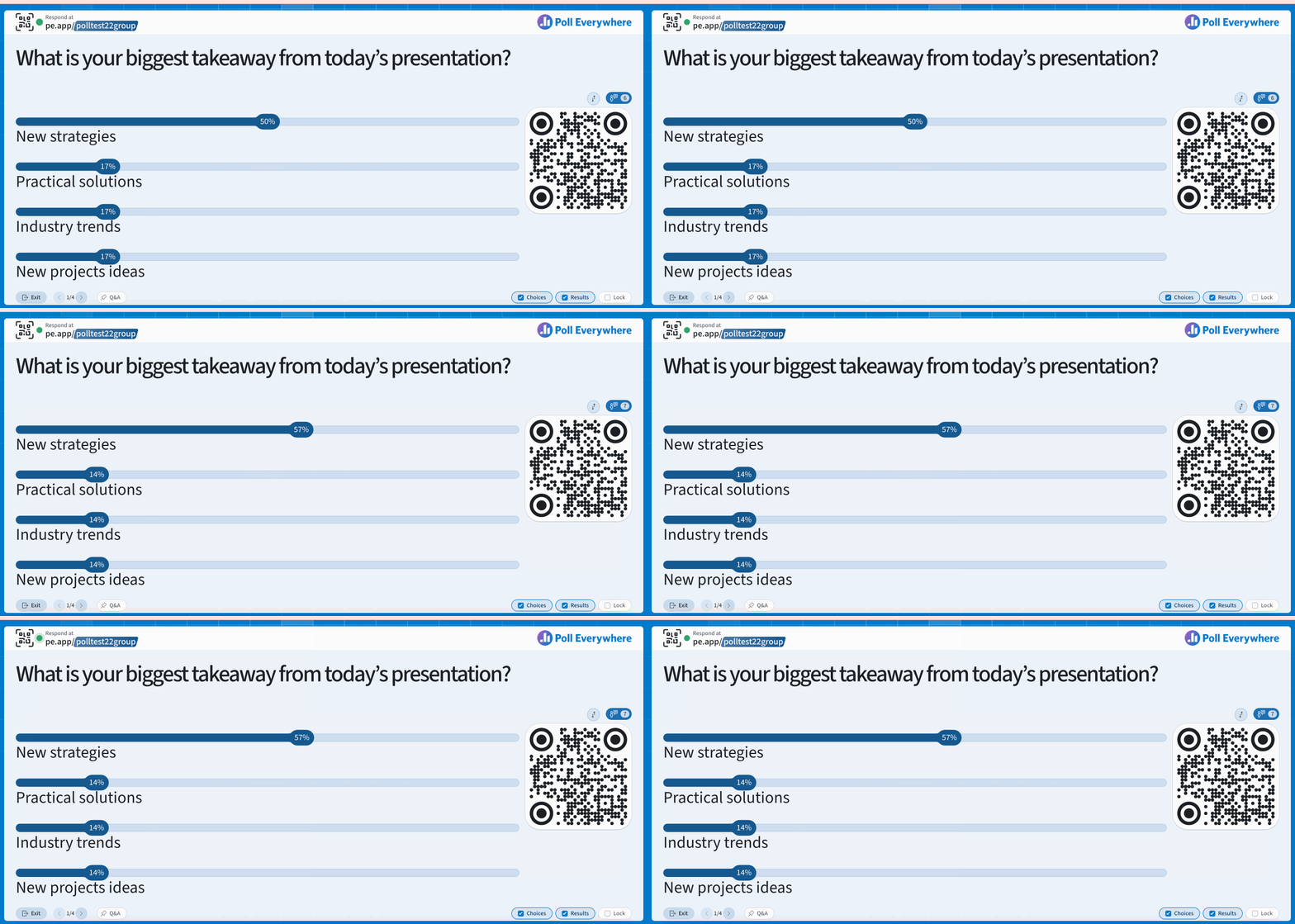
Overall: I like Poll Everywhere for its simplicity. It can do a lot and throws very few hurdles to entry. You pop in, you add an activity, you turn it live, and you are ready to get responses. No need to build a whole deck or anything.
Who for: Speakers, management, corporate users. There’s not much pre-made content or templates, and very little educational pre-made stuff. This is just your bare-bones “I want to get a poll going right now, and I don’t want to do a ton of prep about it.”
What for: Meetings, conferences, events. I wouldn’t throw it into a classroom unless it was a larger lecture course. If you want to run surveys with your employees, also a good option, with good analytics (though they require an upgrade).
The good: There are some deep cuts in here l— ike you can set up text / SMS responding. You can embed your poll, run your poll async, and more. If you’re looking for “polling plus” with details like those, Poll Everywhere is a robust option.
The bad: Any reporting requires an upgraded account. It’s older for sure — the design is on the later edge of web 2.0, and it doesn’t feel fresh or updated lately. There’s no design or “slide” environment at all, so you’ll be switching around from PPT or whatever your slide deck is, if you’re presenting to your group using slides.
The pricing: On the pricier side for what it is, at $600 a year to get any reporting or analytics. But you can get large groups of responses on the free tier.
Find the Poll Everywhere Deep Dive
5. Beekast

Overall: BeeKast is an up and comer that is a good outside-the-box alternative. If you’re tired of all the standard options, give this a try. It’s a little bit different from your standard PPT vibe, but once you get the hang of it it’s not a bad solution.
Who for: Managers and trainers and HR types. Use this for your presentations to your employees or clients.
What for: meetings, surveying a group, that sort of thing. You can run live polls, do word clouds, matching, and all the typical interaction types.
The good: they have some fun / outside the box interactions like swot analyses etc. they’re a little different than other options in format, which might fit some specific use case needs: you run the event from the editing/design page, with a static “share this screen” presentation page. If that’s a better fit for your live event, they’re one of the few who do it this way.
The bad: This feels more like joining in to (and filling out a) form or text survey, rather than “playing along”, so if your goal is engagement or fun this might not be the best option. If you’re trying to do a pretty straightforward survey live, though, go for it. It’s also on the pricier side for the look and feel and functionality of what it offers.
The pricing: This is a pretty pricey option comparatively: It’s 30GBP / mo or 250GBP / year, for only 50 participants.
6. StreamAlive
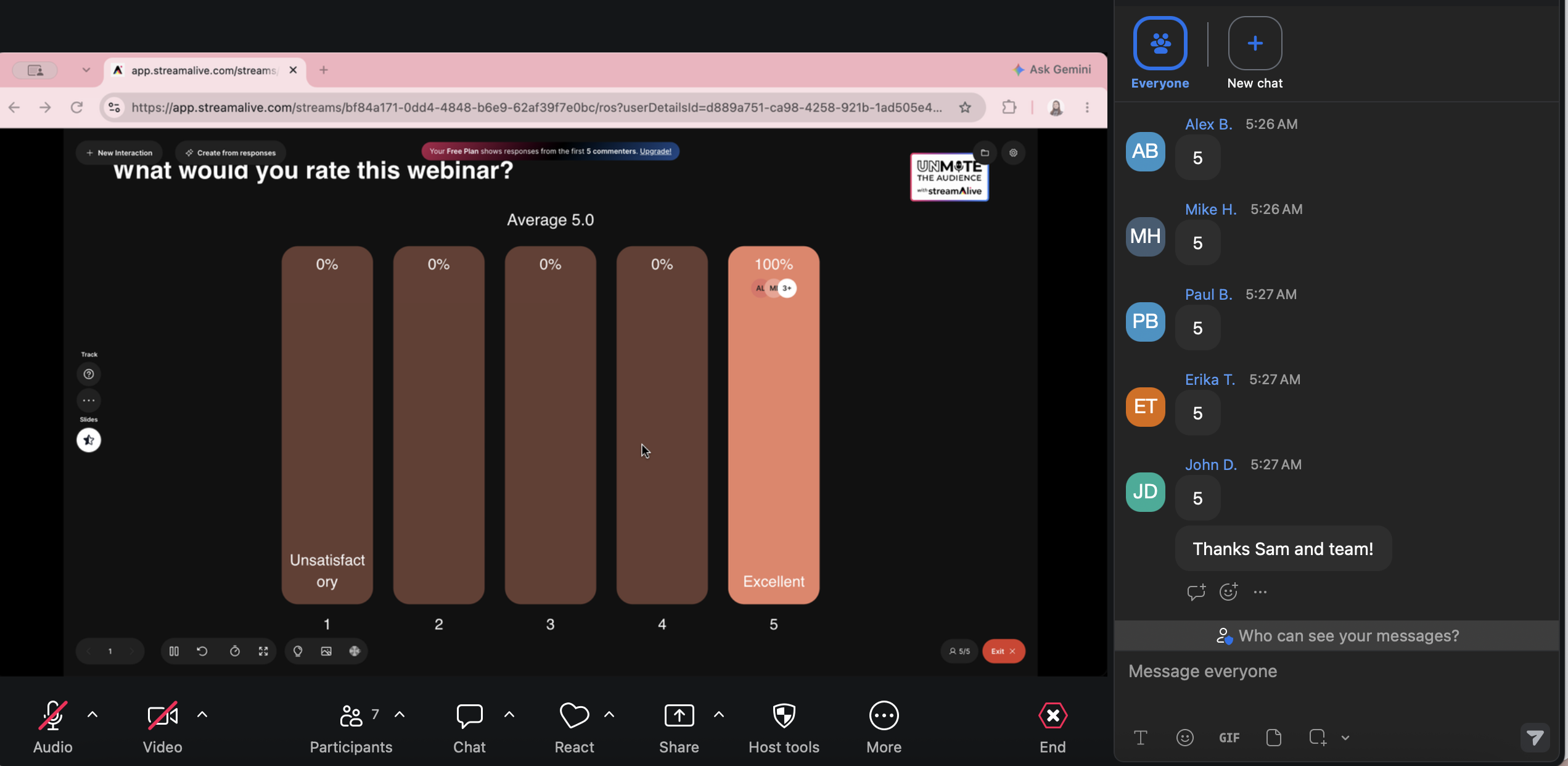
Overall: If you’re running a remote event over video call and want menti’s polling/visualizing abilities — but don’t want users to need a second screen / to join with QR — this is for you. It’s a zoom chat visualizer.
Who for: Event runners, team meeting runners, webinar hosts. People running video calls with groups. Anyone who wants to use the chat rather than a dedicated response screen.
What for: Remote events like a webinar, training, meeting, etc. Anything where you’re hosting to a group of people on a video call — so if you’re using Zoom, Teams, Meet, etc and presenting / sharing your screen.
The good: No need for people joining on your call to have another window open — it’s just your video chat. Lots of ways to visualize different responses. Really easy to respond.
The bad: It’s not an ecosystem, so you can’t really design anything. You’d use it with powerpoint, not to replace powerpoint, so it comes with some switching costs when you’re doing it live. The learning curve for participants might be unclear — eg rather than the “answers are buttons, you tap one” functionality that’s familiar, players type an answer number in the chat attached to your video call. Not a high hurdle, but something small.
The pricing: around $250 a year for unlimited responses visualized.
Here is some more in-depth dives into the tools. If you want a deep dive, we've got you covered with intensive research:dive including G2reviews, pricing tables, and more.:
Deep dive: Slides With Friends
Best for: Making team building, training, learning, and group events more social and engaging

The best Mentimeter alternative we've found is Slides With Friends.
It's an interactive presentation software built for managers, trainers, speakers, HR, sales teams, teachers and classrooms, across education, workplace, and social industries.
The software turns disengaged audiences into active participants by enabling live Q&As, polls, and real-time feedback. Forget the old-school slides where the presenter just reads aloud for 15 minutes. Slides With Friends helps you break the ice and engage with everybody using their phones or laptops.
From word clouds, multiple choice, and text-answer questions to photo sharing, ratings, and quizzes, the software gamifies the entire experience by giving your audience a voice. It’s one of the best alternatives to Mentimeter with a high level of customization, designability, and brandability.
Here’s a closer look at Slides With Friends key features:
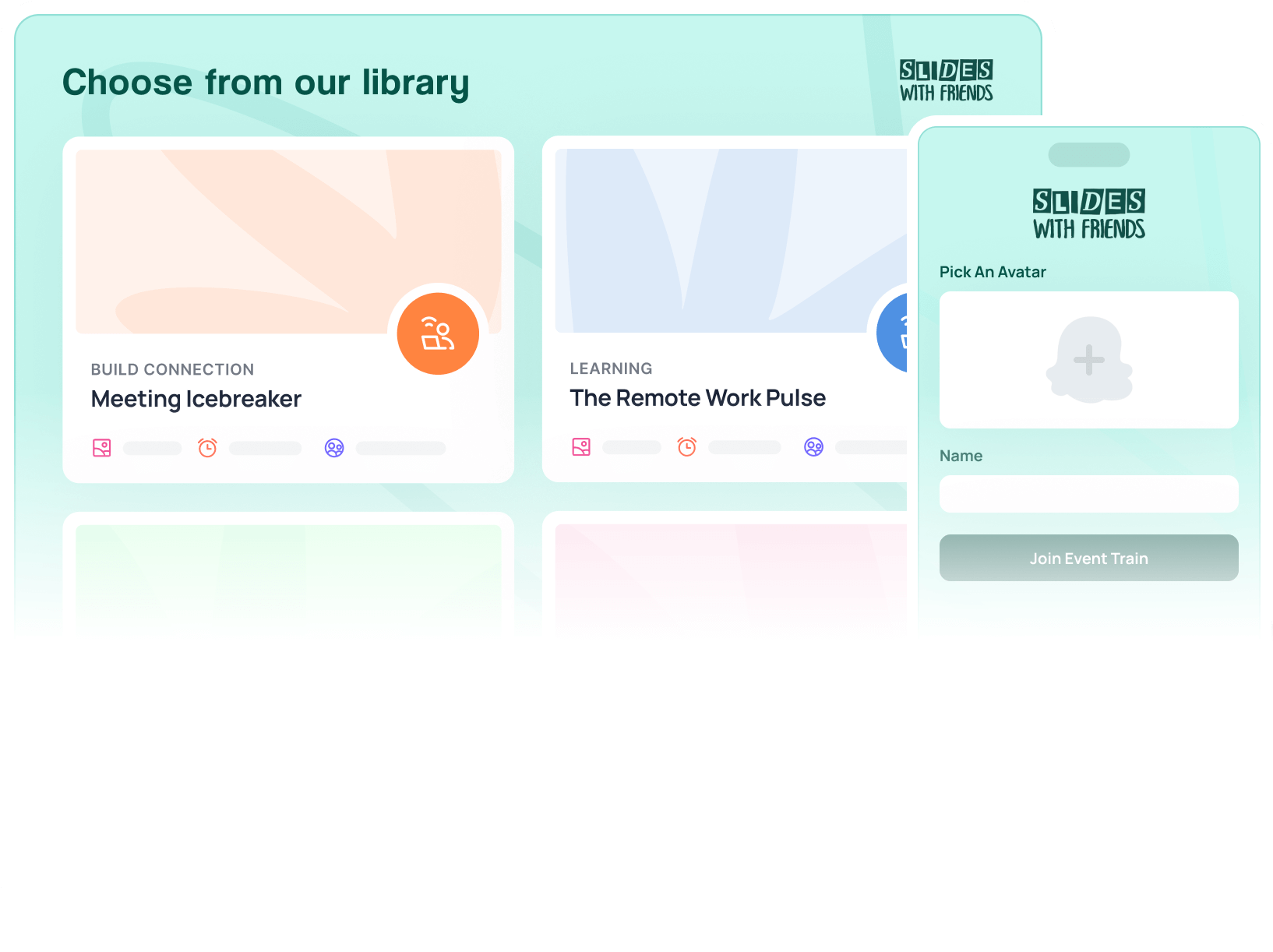
Customizable Presentation Maker with pre-made Templates

Traditional slides can feel one-sided, especially in workshops, training, or team events where interaction matters. Slides With Friends helps you create engaging presentations with customizable tools built for interaction.
Here’s how the software stands out:
- Import your presentations: You can quickly import your already-made presentation from your PowerPoint or Google Slides to add interactive elements.
- Use ready-made decks: You can select from the 100+ premade themed decks, such as happy hour games, holiday festivities, employee training, or icebreakers.
- Build from scratch: You can build all slides from scratch and share the presentation with other team members for edits.
- User-friendly editing: The software offers a drag-and-drop interface with an on-slide editor, making setup smoother and more intuitive than Mentimeter’s segmented design, especially for first-time presenters.
- Dual-screen development: You can see how your slides will show up on the screen and your audience's phones during slide creation.

- Select and customize slide types: Choose a title, content, multiple choice, text answer, answer summary, pass the mic, or PowerPoint upload, and personalize it to your preferences.
- Add rating scales: You can use emojis, numbers, Likert scales, or yes/no formats and view results as averages or bar charts, depending on your preference.

- Customize colors and fonts: You can customize your slides to specific color themes or font pairings. Upload your logo (dark- and light-themed) for a branded experience.
- Upload background and overlays: The software lets you upload background images and overlays, adjust opacity, and select a blend mode.
- Customizable event join codes: You can create custom code for every event that users can enter to join the presentation using their devices.
Mentimeter allows for customization, but certain advanced features may be limited to higher-tier plans. Slides With Friends lets you create presentations that align with your brand guidelines at affordable pricing.
Slide Types That Drive Interaction and Feedback
Slides With Friends offers different slide types to engage your audience. These include:

Live polls: Attendees can vote on multiple-choice questions, word clouds, and rating scales with instant results to improve discussion.

Open Q&A and reviews: They can submit answers in real-time and receive a review roundup, promoting an interactive and inclusive environment.

Word clouds: The audience can submit answers that appear in a live word cloud. They can also vote on responses, making the most popular ones stand out.

Live photo sharing: Unlike Mentimeter, Slides With Friends lets users upload and share photos directly from their devices during the session.
Here's a full video of all the slide types available.
Co-editing for Content Integrity and Team Collaboration
Slides With Friends features “Team Accounts” that allow shared deck libraries, simultaneous co-editing, and admin oversight. You can create and share your presentation content with higher-ups or colleagues to review or edit.
Non-team users can share decks as well. They can create a copy in their deck library and customize it to their preferences.
Although Mentimeter allows co-editing, Slides With Friends takes a people-first approach by allowing teams to collaborate, customize, and create presentations that reflect shared insights, build connections, and align with group goals.
Interactive Elements for Team Building & Assessments
Team-building workshops and employee training sessions are often dull and passive. Most sessions involve hosts reading slide after slide while the team zones out, waiting for it to be over. There’s little interaction and no personalization.
While Mentimeter does offer interactivity like polls and quizzes, you might need to more layout flexibility for formal presentations.
Slides With Friends gamifies employee training and assessment through online team-building, quizzes, multiple-choice questions, live polls, and quick feedback. The software is mainly designed to create people-first sessions to improve social learning and team-building.
Want to kick off with an icebreaker? Drop in a word cloud. Midway through? Add a quiz slide with a leaderboard to make employees compete.
As an interactive training software, it also collects and displays feedback to test knowledge, clear out misunderstandings, and spark real discussions without needing to switch between platforms.
For example, you can ask, 'What’s the first word you think of when you hear customer?' Everyone submits their answers from their phones, and a word cloud appears on the screen. Now, you’re talking with the team and using their input to shape the session.
Trivia Game Player and Builder for Group Collaboration

Slides With Friends features a live trivia player and builder so you can create and host engaging quizzes and gameplays for various settings.
Compared to Mentimeter, which focuses on interactive quiz elements, Slides With Friends provides a gamified trivia experience to your presentation.
Start by selecting the ready-to-play trivia decks covering diverse topics, which you can use as-is or customize to fit your needs. You can include various formats like multiple-choice, live polls, open-ended prompts, and word clouds, and improve each slide with visual images, audio, music, or video.
Instead of telling people what they need to know, you involve them through team play, challenges, and feedback built into the session.
The software also features live leaderboards, timers, and soundboards that make your trivia sessions more competitive and engaging.
QR Codes for Quick Participant Setup

Unlike Mentimeter, Slides With Friends uses a QR code that makes joining quicker and easier for everyone.
Your audience can join by scanning a QR code without needing any app.
As soon as you click on “start an event”, the first slides pop up with a unique QR code and a text code. Once participants join, they can pick an avatar, enter an anonymous name, and optionally provide an email to receive follow-up feedback.
Instant Results for Engaging Interactions

Slides With Friends generates results as soon as your participants complete the activity.
The software generates easy-to-read donut charts or bar graphs to display who’s winning the poll. This real-time feedback in group activities encourages participants to interact with one another.
Engagement Analytics for Future Improvements

Slides With Friends provides simple, useful data after every session. You can show results live as your audience responds or download everything later as a spreadsheet from your dashboard.
You can:
- Track employee attendance: The software logs the names of attendees as they join, effectively creating an attendance list.
- Export data: You can export event results and data in .csv for further analysis and record-keeping.
- See private feedback: You can view private feedback from participants on your dashboard after the session.
Slides With Friends’ Platform Capabilities
Slides With Friends works with multiple platforms to simplify creating and presenting. You can import your PowerPoint files, Google Slides, or PDFs directly on the software’s pre-made decks or upload your entire presentation as is. Mentimeter only supports PowerPoint presentations.
You can share your screen on Zoom, Google Meet, Microsoft Teams, or any other video conferencing software or display it on a projector.
Slides With Friends Pros and Cons
Slides With Friends Pricing
Slides With Friends has three pricing plans:
- Free plan: $0 for up to 10 participants
- Starter plan: $8 per month (billed annually) to host 50 participants
- Pro plan: $24 per month (billed annually) for up to 250 participants
User Reviews
Review #1: “Slides with Friends has been great for hosting our virtual events. Their preset templates come in a variety of topics that I've loved choosing from, and I've also been able to create my own games and slides from scratch using their templates and builders. The platform is easy to use, fun, and has increased our meeting engagement.” – Jennifer T.
Review #2: “The software itself has incredible native functionality such as the ability to share pictures from your phone, create word clouds, play fun competitive games. It feels so different, and you nearly forget that you're gathering virtually vs in-person, although this works great for in-person gatherings as well.” – Gesche H.
Rating
4.8 stars on G2
Ready to try it out? Here's where you can create an account and poke around. Accounts are free, no credit card required, and onboarding is pretty easy.
Quick Comparison Table: Mentimeter Alternatives
Deep dive: AhaSlides
Best for: Interactive lessons and small team activities

AhaSlides is an interactive presentation platform that allows you to create engaging presentations with its AI-powered features.
AhaSlides vs. Mentimeter
AhaSlides helps educators and managers interact with a large audience with added customization options.
Here’s why it’s a better alternative to Mentimeter:
- The software allows teams to play and match pairs for group collaboration.
- It offers AI-powered slide generation to improve your presentation.
- It has better pricing plans for all slide types with monthly payments for new users.
AhaSlides Key Features
Here are some key features of AhaSlides:
Detailed Gamified Presentation Elements

AhaSlides offers live voting, a spin wheel, shuffling questions, and self-paced quizzes on its platform. Mentimeter supports live voting polls, but AhaSlides has more options to gamify your entire presentation experience.
AhaSlides also supports live/asynchronous Q&A sessions. These are ideal for academic lectures or classroom activities where students need to participate actively and receive real-time feedback or grading.
AI-Powered Presentation Generator

AhaSlides helps you speed up your slide creation by offering an AI presentation generator feature, which includes smart AI prompting, content suggestions, and docs to quiz.
The AI quickly understands your prompts to generate complete slides in seconds. It can also suggest edits based on your content, helping you refine ideas on the go.
You can even upload documents for the AI to convert into quizzes. This saves you the time and effort of building each slide manually.
Customization for Branded Experience

AhaSlides lets you customize colors and themes for a branded experience. Like Mentimeter, you can change the slides to match your preferences, but AhaSlides has more customization options for fonts and themes.
You can also use collaborative editing tools, like Mentimeter. Share your slides with your team members to co-edit your presentation for a better experience.
But AhaSlides doesn’t let you edit directly on the slide. You need to edit the content on the side panel for the changes to apply. This can feel draggy at times.
Data Analytics and Reporting

AhaSlides offers detailed data analytics with reports on your presentation performance. The software helps you measure audience engagement, compare different sessions, and identify the best interactive elements to refine your content. It also gathers feedback from the audience on its dashboard for further analysis.
AhaSlides Pros and Cons
AhaSlides Pricing
AhaSlides pricing starts at $7.95 per user per month for up to 100 participants, billed annually. You can sign up for a free plan to host up to 50 participants.
User Reviews
Review #1: “Creating an AhaSlides quiz is straightforward and flexible. The addition of a variety of question types and answers are simple to input, proofread, and try-out before presenting…” – Fiona G.
Review #2: “The design elements could be improved. Some team members initially struggled with the more advanced features like custom branding and slide transitions.” — User.
Rating
4.6 stars on G2
Deep dive: Slido
Best for: Interactive Q&A and polls in hybrid meetings or corporate webinars

Slido is an audience interaction platform that improves engagement during large events and conferences through real-time Q&A sessions, live polls, quizzes, and word clouds.
Slido vs. Mentimeter
Slido is a great software for advanced Q&A voting polls functionalities, while Mentimeter offers more interactive and visually engaging features to improve your audience interaction. Although Slido’s free plan offers limited Slido creation, its paid plans are best for larger audiences.
Slido Key Features
Here are some of Slido’s key features:
Online Poll Maker

Slido offers an online poll maker to improve your presentation’s interaction. From multiple-choice questions and rating polls to surveys and word clouds, you can select a wide range of polls with live results.
Mentimeter works well for polls and quizzes, but if you need deeper Q&A sessions, anonymous feedback, or stronger PowerPoint integration, Slido is the best alternative for you.
Admin and Presenter’s Mode for Controls

Slido has three modes: admin, present, and participant. You can get previews of all three views from your dashboard, allowing you to customize what’s visible to your participants and presenter’s screen.
QR Code Support and Analytics

The software allows QR code scanning for quick joining. The audience can simply scan the code using their phones or manually enter the URL to participate in your polls with a set username.
Integrations

Slido is compatible with PowerPoint, Google Slides, Webex, Microsoft Teams, and Zoom. Slido has the most advanced integrations that work for both Windows and macOS.
For example, you can install the Slido add-in on your PowerPoint. This allows you to embed interactive polls, quizzes, and Q&A sessions directly into your slides. These elements activate automatically during your presentation for real-time audience participation without switching applications.
Similarly, you can integrate Slido with Zoom Meetings and Webinars to launch interactive elements directly from the Zoom interface.
Slido Pros and Cons
Slido Pricing
Slido pricing plans range between $12.50 - $150 per month (billed annually), depending on your audience size and needed features. The software also offers a free plan for 100 participants with 3 polls per Slido.
User Reviews
What users like about Slido:
- Embed polls into PowerPoint slides
- QR code scanning
- Easy extension support
What users don’t like about Slido:
- Difficult to navigate
- Compatibility issues with Google Slides
- Limited slides on the free plan
Review #1: “Slido is very well designed and super easy to use. We use it at every conference, to the point where our success relies on it.” – Sean E.
Review #2: “While I love Slido, I do wish it had more customization options for branding, as it's nice to add a personal touch to presentations.” — Jorge A.
Rating
4.8 stars on G2
Deep dive: Poll Everywhere
Best for: Corporate team meetings and educational workshops

Poll Everywhere lets you create polls, engage with the audience, and review results from a single platform. But unlike Mentimeter, this software offers fewer presentation maker features as it’s more activity-centric for a larger audience.
Poll Everywhere vs. Mentimeter
Poll Everywhere offers more compatibility support than Mentimeter. Let’s break it down:
- Poll Everywhere collects responses via SMS (with dedicated local and international numbers), browser, and native app, making it useful for in-person sessions.
- It embeds into PowerPoint, Google Slides, and Keynote, while Mentimeter only supports PowerPoint.
Poll Everywhere Key Features
Here are some key features of Poll Everywhere:
Interactive Poll Voting Sessions and Surveys

Poll Everywhere offers the same interactive elements as Mentimeter but feels like an older interface. You can add multiple-choice questions, word clouds, Q&A sessions, clickable images, and surveys.
Data Privacy Compliance

Poll Everywhere follows PCI DSS for secure payment handling and aligns with the General Data Protection Regulation (GDPR) and the EU-U.S., UK, and Swiss Data Privacy Frameworks for lawful personal data transfer and processing.
Live Voting via SMS, Browser, and App

The software supports responses via SMS text, web browsers, and the Poll Everywhere app.
Poll Everywhere’s SMS voting allows participants to join live polls using their mobile phones by texting the presenter’s unique username to a designated number like 22333 in the U.S. Once connected, users can respond to polls by texting the corresponding letter or send open-ended responses directly.
Participants can also leave a session by texting “LEAVE” or change their answers with “UNDO” or “CLEAR” if allowed.
Automated Profanity Filtering

Poll Everywhere can filter and require approvals for open-ended responses in real time. This allows you to remove any unauthorized or offensive comments on your presentation to keep it light and friendly.
Poll Everywhere Pros and Cons
Poll Everywhere Pricing
Poll Everywhere offers 5 pricing plans, each differing by type:
- Business: Starts from $10 per month per user for 700 participants (billed annually).
- Education: Starts from $9 per month per user for 700 participants (billed annually).
- One-time: From $499 for 1,000 participants.
The free plans only offer basic poll-creation features.
User Reviews
What users like about Poll Everywhere:
- Easy mobile access
- Interactive tools
- Quick questions setup
- Suitable for big groups
What users don’t like about Poll Everywhere:
- Lags during PowerPoint presentation import
- Limited admin control on responses
- Lack of animation
- Complex design interface
Review #1: “The system is very interactive to use and comes up with a very easy UI to integrate questions we want to have employees answer. The polls and surveys can easily be created.” – User.
Review #2: “Activating the poll for your audience is not intuitive. It's confusing that there is an app, website, and poll location: the overall interface and interaction with the product needs to be simpler.” — Charis L.
Rating
4.5 stars on G2
Best Mentimeter Alternatives: The Full Comparison
What to Look for in a Mentimeter Alternative?
Here’s how you can choose the best Mentimeter alternative:
- Interactive presentation tools: Look for a Mentimeter competitor that offers a variety of interactive elements, such as live polls, quizzes, word clouds, and Q&A sessions to engage your audience effectively.
- Ease of use: Look for user-friendly interfaces for quick setup and smooth navigation during presentations.
- Customization options: A good Mentimeter alternative should let you customize and create branded presentations, including logos, colors, fonts, and themes.
- Audience size support: Make sure the platform can accommodate your expected audience size, especially if you plan to host large events or webinars.
- Data analytics and reporting: It should generate detailed analytics and reports on audience responses for valuable insights and future improvements.
- Device compatibility: Make sure that participants can join and interact using various devices, including smartphones, tablets, and computers, without app downloads.
- Platform capability: Check if the tool supports PowerPoint, Google Slides, and video conferencing platforms like Zoom and Microsoft Teams.
- Gamification features: Platforms with leaderboards, scoring systems, timers, badges, or sound effects can increase engagement.
Mentimeter Alternatives We Didn’t Pick and Why
Here are some Mentimeter alternatives that didn’t make our list:
- Kahoot!: Some users note that it may not fully provide corporate training or professional presentation tools due to its limited customization options.
- Pigeonhole Live: This platform is great for Q&A and polling but has limited slide creation and overall presentation design. It’s less interactive as a standalone tool.
- Quizizz: This tool focuses on education and self-paced learning; it lacks support for collaborative group sessions or branded presentation experiences.
Final Verdict: What’s the Best Mentimeter Alternative in 2027?
Choosing the best Mentimeter alternative depends on your specific audience and presentation goals. If you’re looking for education-focused features, AhaSlides and Slido might be a good option, while Poll Everywhere suits simpler corporate-level presentations.
Slides With Friends stands out as the best overall Mentimeter alternative for team leads, educators, event organizers, and managers who want to host human-like interactive sessions.
From training sessions and workshops to lectures and remote team building, it offers built-in engagement tools, full customization, and a fun, people-first social experience that gets everyone to learn, participate, and respond to you.
Sign up for free to get started with Slides With Friends today!




%20(1).svg)

More related articles



Ready to ditch the dull, and run team sessions that people will actually enjoy?
Get started with a Slides with Friends deck in no time. We’ve got all the interactive features you need in one easy-to-learn, easy-to-set-up tool.