Best Fun Learning Games like Kahoot (including Free Alternatives)
The top five alternatives to Kahoot that you can use with your classroom or group. Teachers, trainers, managers, speakers — if you're moving away from Kahoot, this is for you.

Kahoot is so over, what’s out there that’s better (or cheaper, or less bloated, or has X thing that I need)? Here are the top 5.
Why trust me: I’ve been in the interactive event space for almost a decade, I talk to teachers and presenters *every day* about what they need.
I have personally used each and every one of these tools live.
The goal of this post is for you to walk away with a basic understanding of each tool and a clear knowledge of which is the right fit for you. So if you’re here already knowing what you want to do (like, “I need to run a live poll with my audience”) I can point you to the right platform based on specific functionality. Or if you’re here being all “I have a town hall coming up. what do?” I’ll lay out your options. I’ve gone through dozens of tools, found the best of the best, specifically for teachers and previous Kahoot users, and narrowed it down to just a few.
Here are the top 5 best interactive presentation tools that can do what Kahoot does (and more, or cheaper; and better, or different.)
Let's dive in:
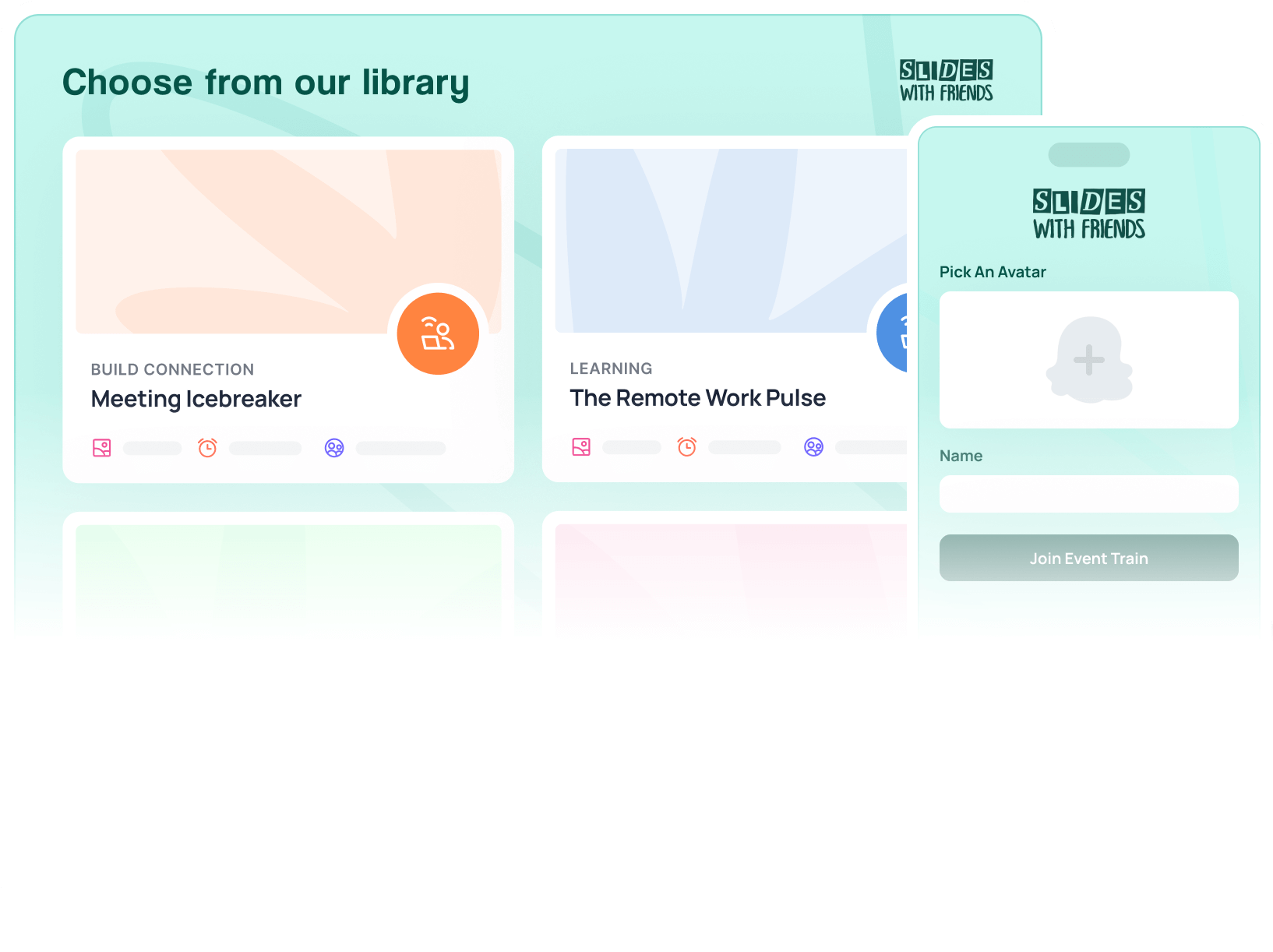
1. Slides With Friends
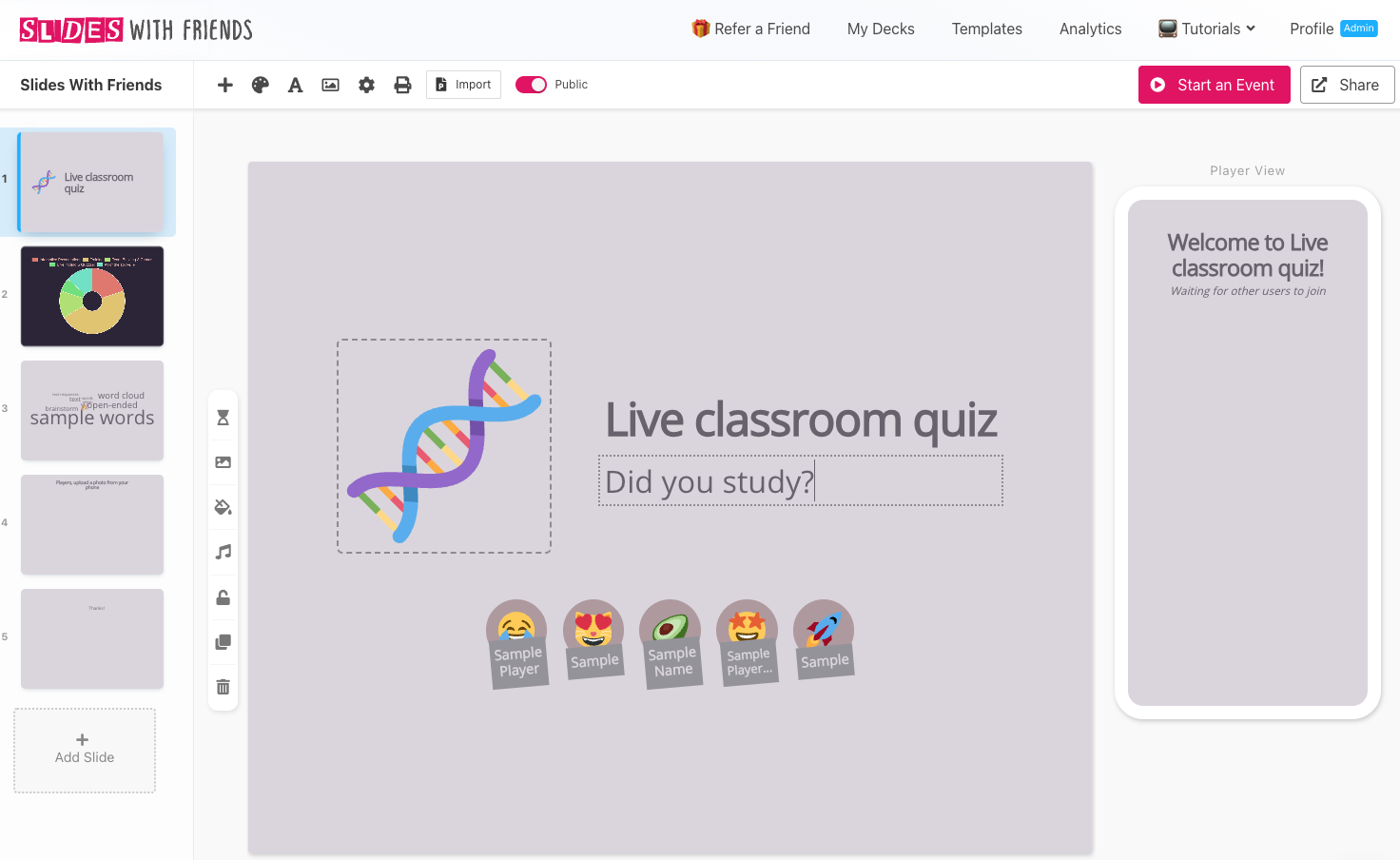
Overall: Slides With Friends for education is in some ways a better option than Kahoot for the average classroom. It lets you run interactive lessons, play icebreakers, play review games, or run quizzes / exams, all through a pretty simple "slide deck" setup. You can create your own lessons or choose from pre-made templates, all in a PowerPoint-type interface.
- Who for: It’s super versatile, but best for three types of people: 1. Trainers, managers, team leaders running meetings or trainings. 2. Teachers / professors running classes. And 3. speakers / event runners talking to audiences. True to the name, the vibe is friendly and accessible, with fun event ecosystem elements like emoji avatar for players, soundboard reactions, and more.
- What for: This is for when you want your group to both see your content like a ppt presentation and interact / respond during it. Live polling, quizzing/assessment, icebreakers/games, Q&A, and more.
So if you’re running a meeting or all hands or town hall where you want to run an icebreaker, brainstorm, or go over Q3, this is ideal. Or if you want to run a quick, live, pop quiz with your classroom. Or if you are doing the keynote and want to engage everyone (and get real like instant feedback).
- What is: It’s one of the best interactive presentation builders we’ve found (biased because I’m building it — I’m designing it purposefully to be better than what’s out there). You can create your entire presentation in one spot, like your whole ppt deck, but then build in all the interactions, quizzes, games, etc right in. No more flipping back and forth. There are tons of interactions types, from the basics like multi choice / text answer quizzing, to live polls to wordclouds, to kicky interactions like a “cards against humanity” type players-vote-on-eachother’s-answers game.
- The good: So many things. There’s the clean & obvious UI that (if you know ppt or any other slide deck builder) you’ll recognize and understand right away. There’s the designer — make your slides look exactly like you want them (unlike Kahoot, which pretty much looks the same every time).
- The interactions and events themselves: fun, easy, seamless, and designed to amp up engagement (while still doing real work & getting real data).
- The tracking & analytics: follow trainees across events and over time; follow deck ratings over time.
- The moderator tools: see what’s going to happen before it happens (and remove content you dont want displayed). So many more things.
- The bad: Smaller groups before upgrade than some competitors. Some nice to haves are still in progress / not available, including a “reorder answer options” slide, and “join in as a team” (rather than each device being an individual player). The AI additions are minimal still.
- The pricing: It’s unlimited events, unlimited interactions, and pretty much the whole tool for free. The only time you have to pay is if you want: larger groups (50+), or fuller analytics. Starts at around ten a month, less than a hundred bucks for the year.
(I’m going to be vague and ballparky with all these price points, since dollar amounts change so often while general ballparks are more reliable / evergreen.)

2. Wayground
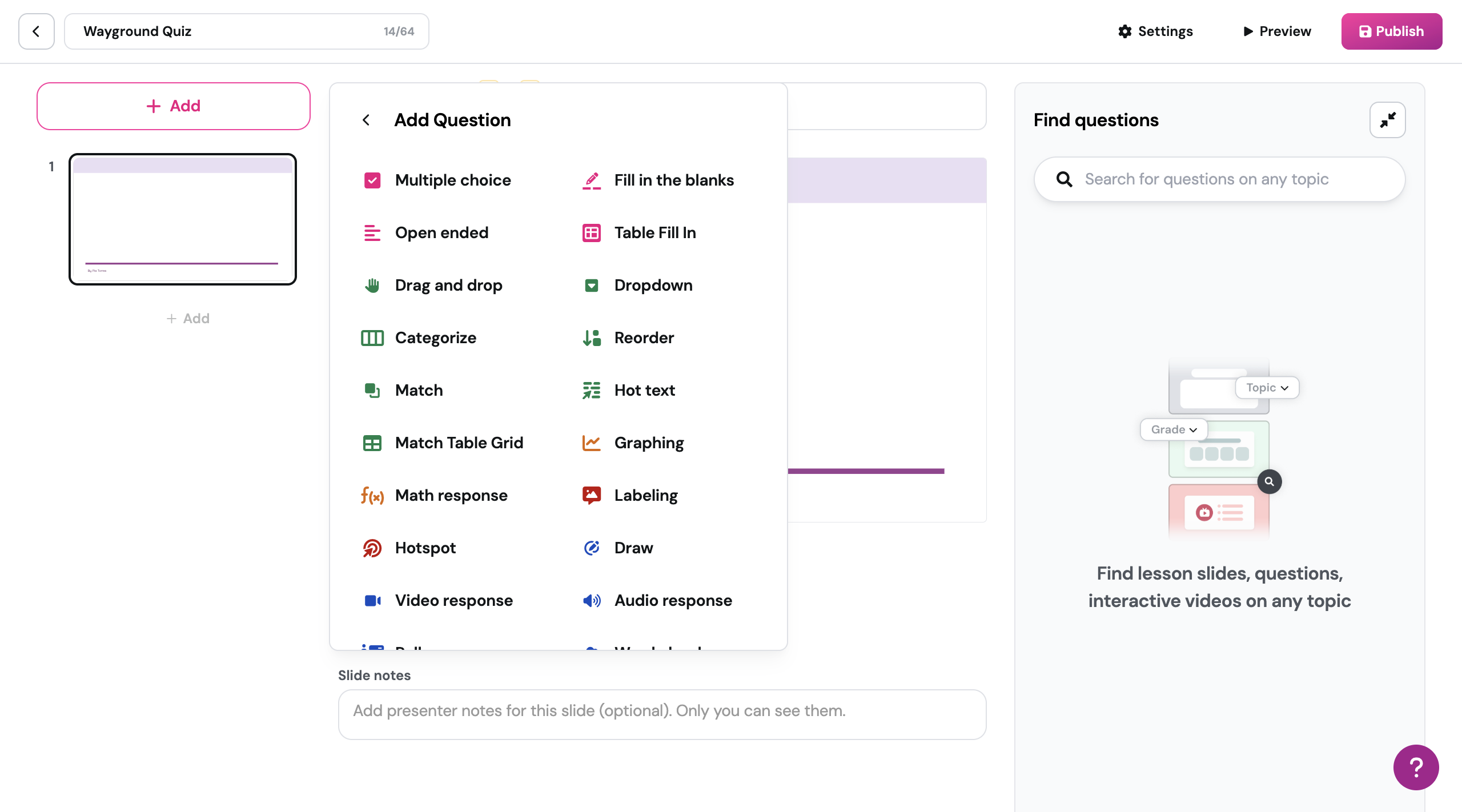
Overall: Wayground is a strong teaching tool, with lots of premade content for teachers, sortable by grade level and topic. Students join in on a device either live or solo, for eg. assigned homework. It's one of the better teaching interactive quizzing platforms out there.
- Who for: Teachers. this is a teaching tool, clearly geared classroom-first.
- What for: Basically this is for running lessons and assessments on a projector / shared screen, with a group of students who have phones/tablets.
You can build lessons, and there is a lot of ready-made content (some better some worse) that is organized by grade level and topic. (One of the ways you can see if a tool is right for you is to look at their template library — are they offering / showcasing things that apply to you?) - What is: This is a lesson-running platform. You can build decks, but they’re not really geared toward that, it’s more you using their pre-provided content. (And if you want more than 20 lessons stored in your account, you have to upgrade.)
- The good: Been in the space for years (this used to be Quizizz), this is mature software that works, with lots of teachers using it. If you run out of lesson planning time, you can pop in here and grab something. Be careful of course, there are quizzes and lessons that are very meh, it takes some sorting time to find the good ones.
- The bad: There’s a lot going on here, so there’s a bit of learning curve for first-time users. I wouldn’t send any professed “non tech savvy” teachers here, if they asked me.
- If you’re leaving Kahoot for the bloated feeling, this isn’t your first choice.
- For the assessment portions: Design wise you can’t do much, so if you want this to look a certain way — sorry, it’s going to look like Wayground. for presentations, you have a little more power. - The AI: They have implemented some “auto generation” tools that feel a little pasted-over the existing tool, but they’re definitely making moves. Best is the “generate deck” option where you can give a prompt and select some settings and it will spit out a quiz for you. But be careful and check these — they’re not burning high-end tokens for this, so the questions can be pretty mediocre.
- The pricing: For teachers single-use, it’s free. You can have up to 20 of your own lessons. You can use as many of the premade ones as you like, but if you want to edit them, they’ll count against your library’s total. So, if you want more decks than 20 in your library, more than the most basic interaction types (you can do like, MC and text questions, otherwise you gotta pay), multiple different classrooms to assign work to, some stuff they call “Anti-cheating” that basically turns off the ability to right click, and copy/paste in the browser — They’re gonna push you to try to set up a school-wide or district-wide account (like, “put us in contact with your administration!”), which is part of a larger “land and expand” marketing strategy. but anyway. you can still get an individual plan for a couple hundred dollars for a year.
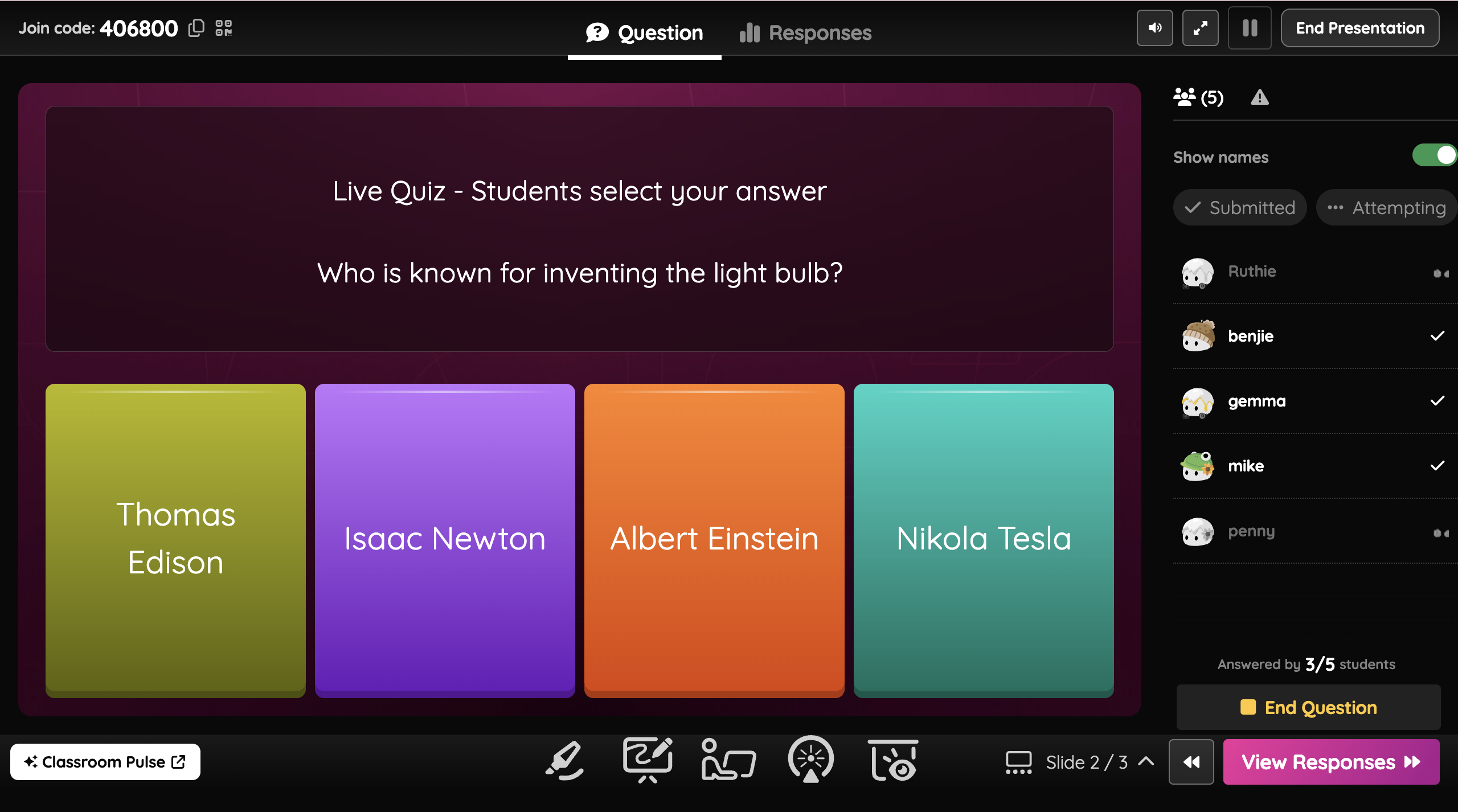
3. Slido
Overall: this is a different vibe but super powerful if you're running larger lectures, town halls / meetings, or Q&A sessions. Not great for creating a "presentation" or lesson deck.
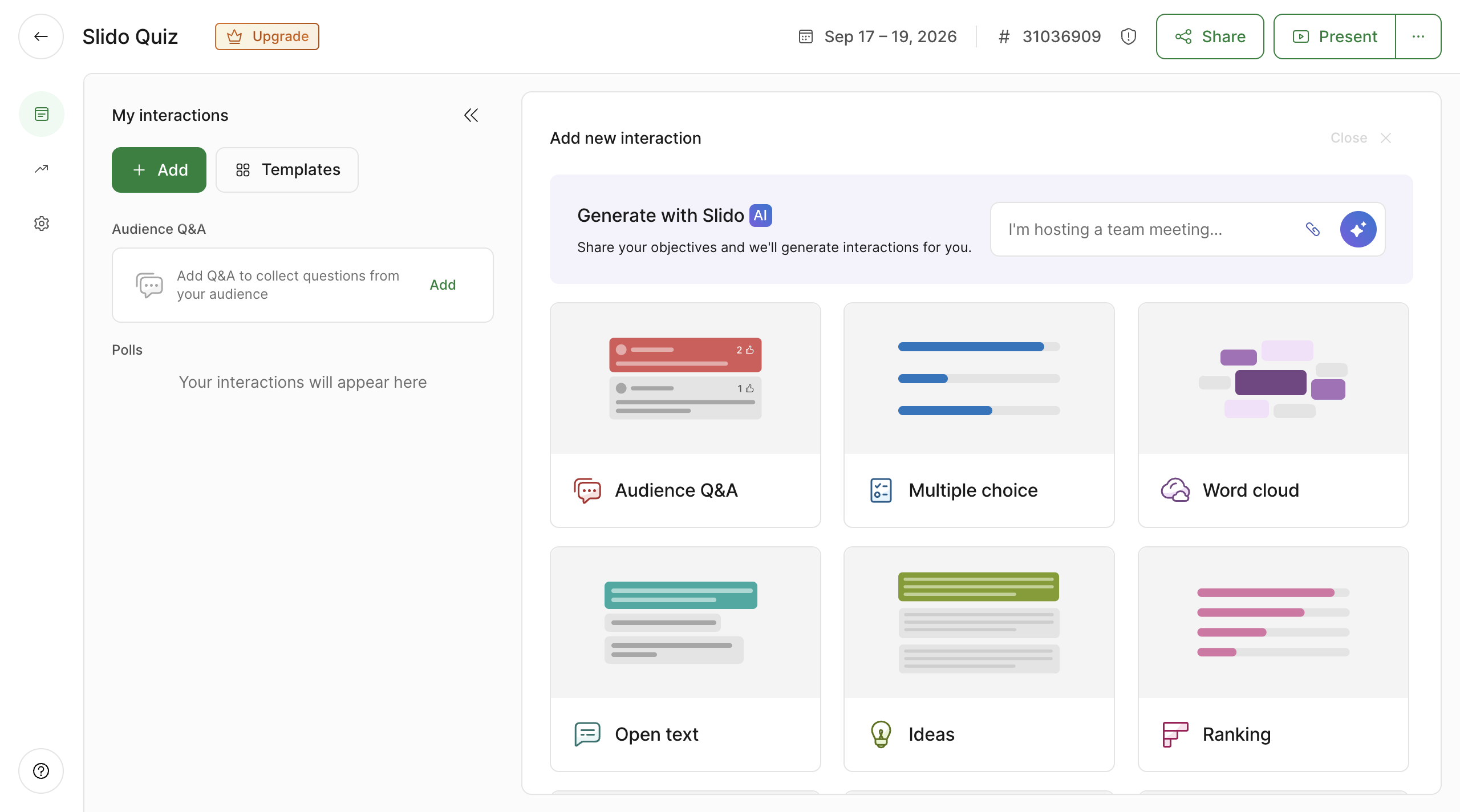
- Who for: Conferences and large group gatherings (panels, town halls, event runners)
- What for: If you want to do a Q&A with a huge group — this is your jam. so if you’re running a big town hall / all hands, if you’re a speaker at a conference, if you’re doing something up on stage and want to hear&organize questions from your audience.
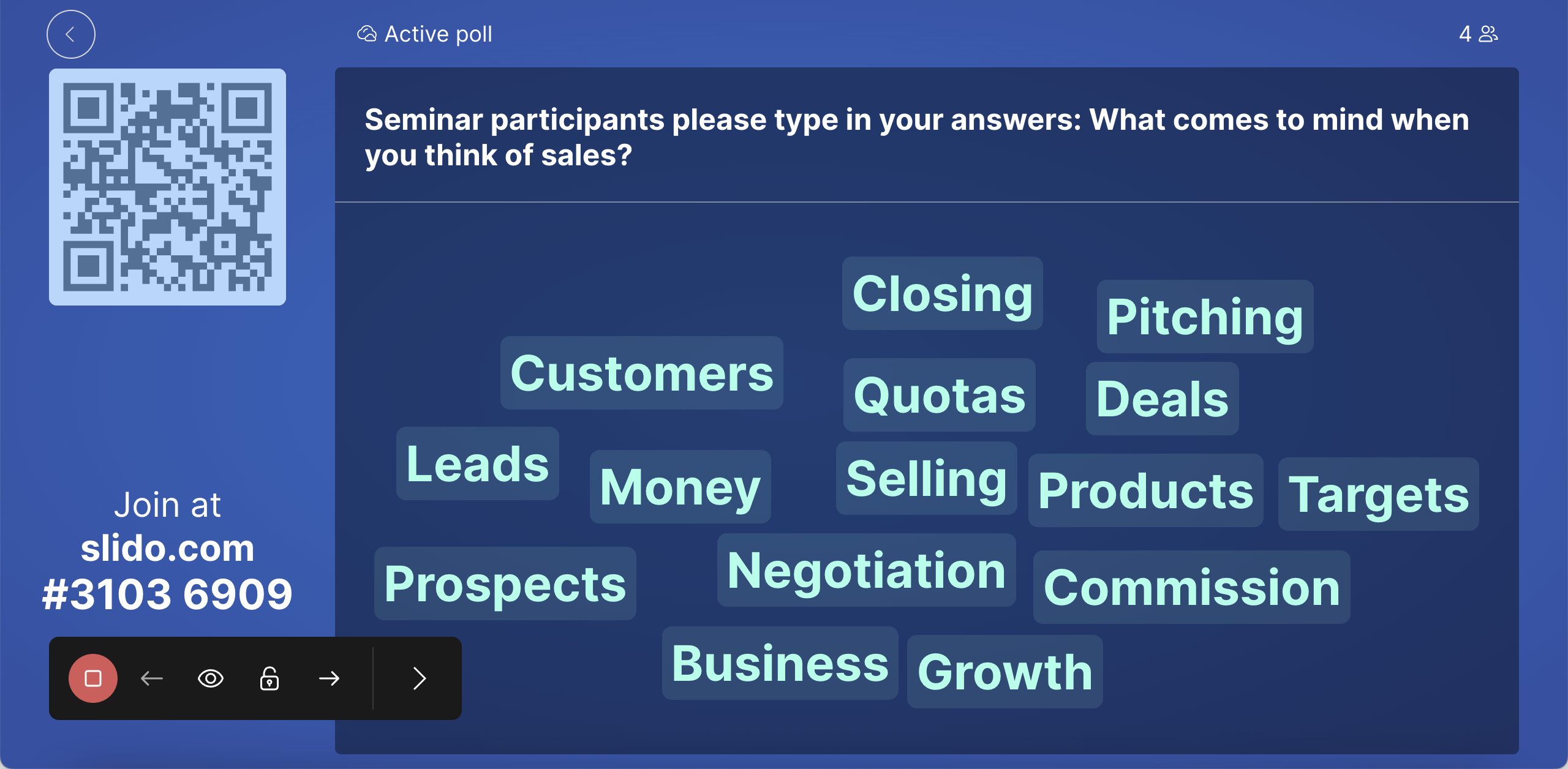
- What is: the UI / UX here works under a different and more un-standard paradigm: it’s not a deck builder like many of these tools. It’s an event ecosystem. You create an event on your end, your participant joins in, and they see two tabs: one for your Q&A, and one for your “polls” (which are every other interaction type). You can have one of each interaction type, like multichoice quiz, wordcloud, poll, etc, if you want more it’s an upgrade. You can have 3 total interactions before an upgrade, also.
- The good: This is a different tool, and there’s a learning curve, but it’s nicely designed, and once you get in it’s pretty easy to understand.
- The bad: The learning curve
- The engagement is pretty straightforward — they’re nothing fun or interesting, this is your brass tacks q&a tool.
- No designability at all, this isn’t for making a presentation, it’s for having a Q&A on the side, and it’s going to look like Slido. Little things, like wordclouds — users can’t vote for words, this seems like a missing piece. - The AI: You can see some generated options after giving a prompt, and it can make you a sample event. The quality is so so.
- The pricing: Free for giving access to up to 100 respondents, and you can do three interactions with that group. Couple hundred bucks annually for twice the group size and unlimited interactions. If you have staff that’s helping run the event or want to enable multiple people to host, you’ll need a larger plan, in the one or two grand ballpark.
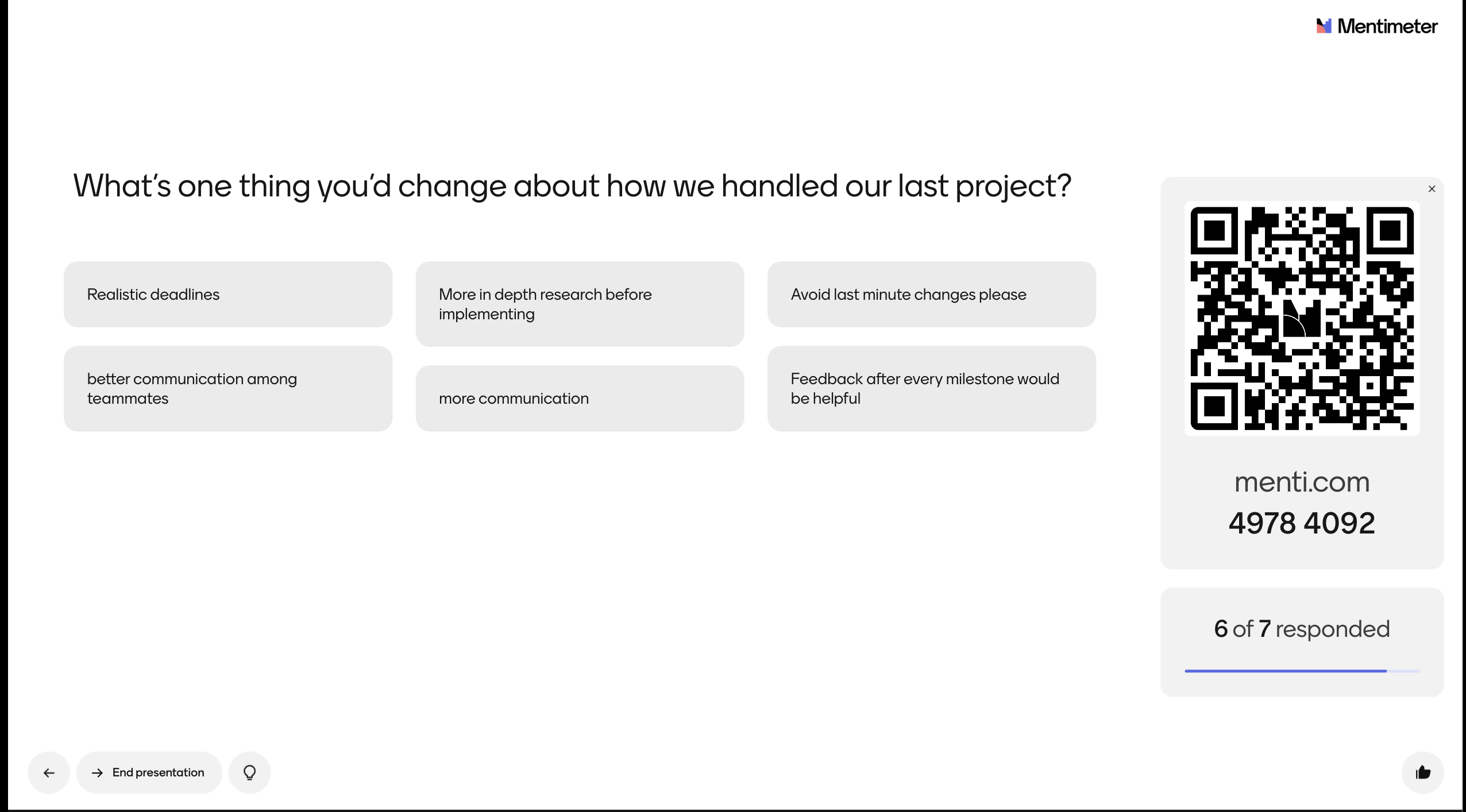
4. Mentimeter
Overall: The oldest of the bunch, this is a good corporate option especially if you need a lot of settings power.
- Who for: The training / speaking / consulting professional. This is probably your best “I’m wearing a suit talking to people and want to look engaging — but not too exciting” tool option. So if you’re planning to wear hard pants for your presentation, may I suggest Mentimeter.
- What for: Whenever you’re doing something corporate or serious where emoji just wouldn’t be the right feel, like a town hall where you’re announcing a round of layoffs and want to get a pulse on the reaction, this is a good option. If you need an LMS integration or something else a little larger-scale / niggling, also a good choice.
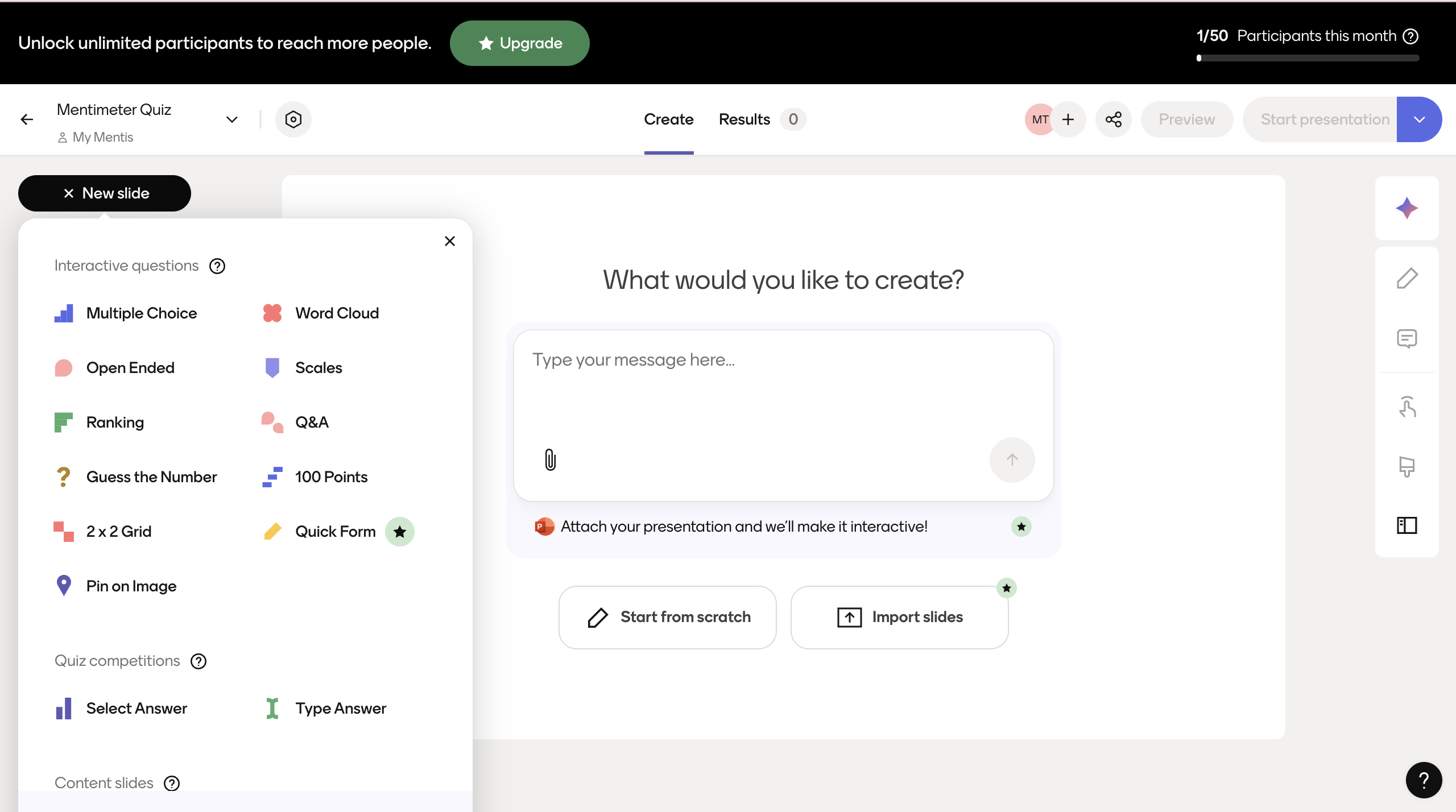
- What is: It’s got all the integrations (g slides, ppt, etc) and interactions (multichoice/text response, polls, wordclouds, rankings, etc) in a business-forward feel.
- The good: This is one of the oldest options out there — it’s mature software for sure, and they’ve been around long enough to have added all the bells and whistles requested over the years. The design is nice, the tech gets spruced up not irregularly, and it just works.
- The bad: It’s a little bloated and if it’s old, yeah, you can tell it. They have a mix between an old fashioned wysiwyg editor and on-slide editing, and not a lot of designability or moveability. It’s not gonna look like your slide, it’s gonna look like their slide. There are settings buried in settings all over the place. You can do a lot, but you have to climb a bit to know how.
- The AI: They have one of the better AI deck generators: the UI is basically a chatbot, and then it calculates and builds based on your prompts.
- The pricing: Free for up to 50 participants a month. (So, if you’re running one group event with 50 players: free, or if you’re running 2 events with 25 players, still free). Once you hit that monthly limit, it’s an upgrade to keep running events: Couple hundred bucks for one host and unlimited players.
5. StreamAlive
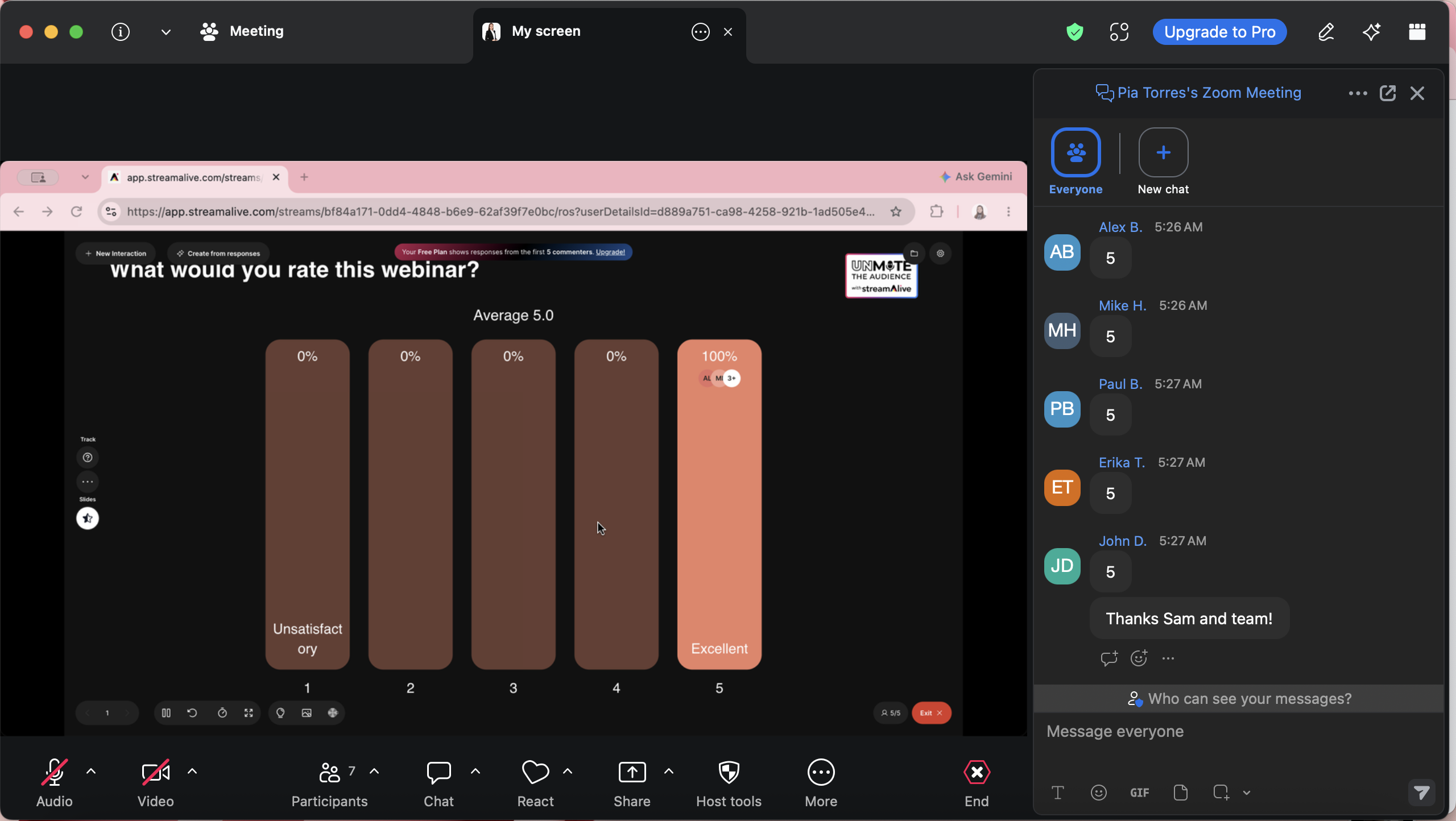
Overall: It's a "type it into the chat" tool that can do some visualizing of chat text. Good for if you want only one screen for users (your zoom screen).
- Who for: You running zoom calls and asking for responses in the chat? This for you. Especially good if you’re doing a webinar or training. This is also good if you don't want your users to require another device in addition to their joined screen.
- What for: Your webinar, your zoom meeting, your MS Teams training sesh, etc: if you’re running it on a video call, and you want people to use the built-in chat on your video call platform, this is a great add on.
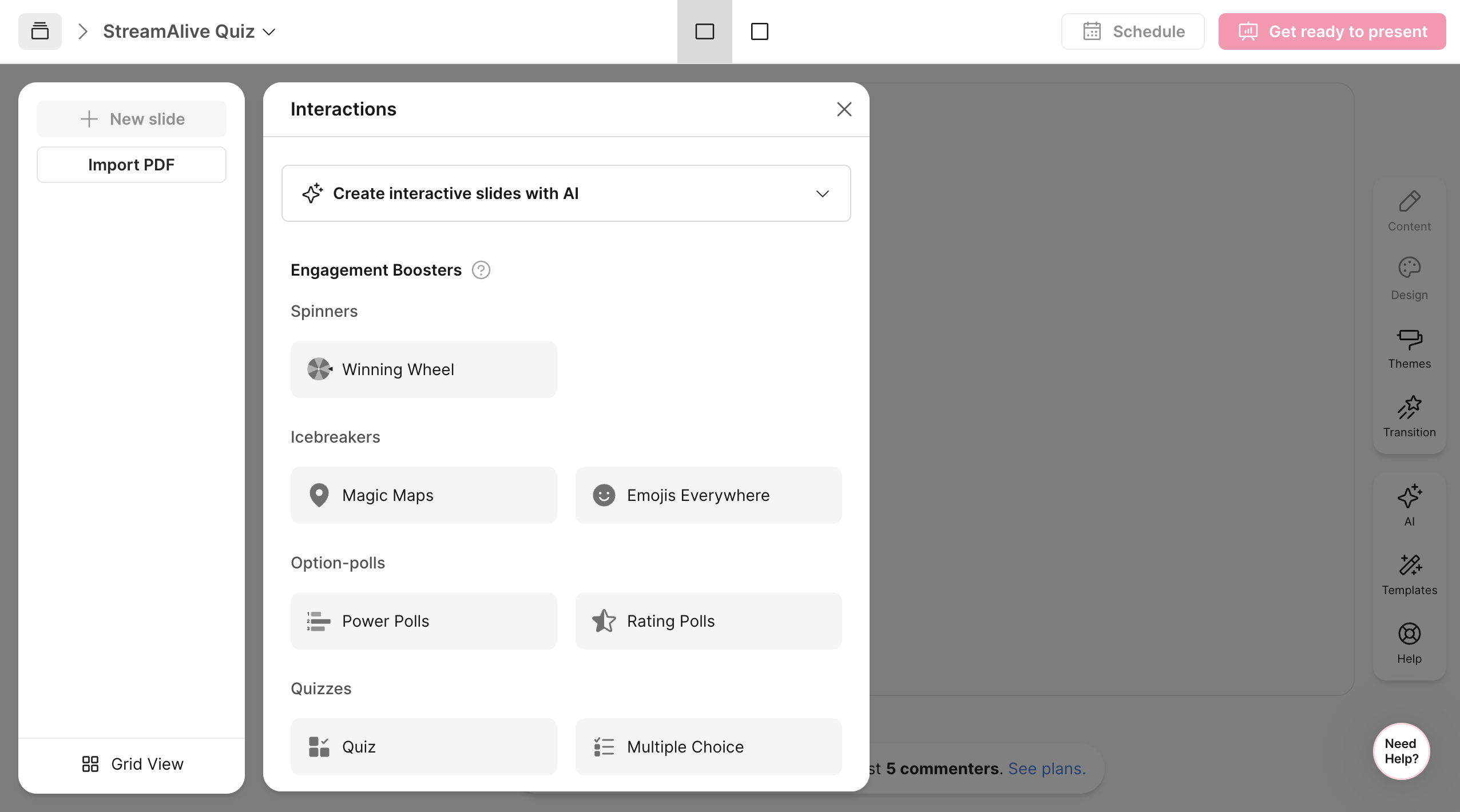
- What is: This is a tool that’s not a presentation so much as it is a layer that visualizes a live chat. You can do it in zoom, teams, meet etc — all you need is the chat box on your video call platform. They have a dozen or so specific options for what ways you can visualize: things like wordclouds, maps (”where are you calling in from?”), polls (type the number option you select in the chat, the screen will show the votes on the options), etc.
- The good: This is easy — your players need to know literally no thing, not even a QR code scan, they just can type stuff in the chat. You can add interactions as you go — don't need to plan anything in advance (though, if you want to, that’s possible as well with a deck-like builder, so, you’ll see ppt again here).
You can have an interaction where you just see what everyone typed in response to you, that’s nice and flexible. - The bad: This isn't really a lesson or game in itself — You don’t have a sandbox here, you’re just relying on the chat. If you want to make it feel more professional or official, this isn’t that. If you want it to be your own look and feel and event, if you want them to be able to, say “tap on an option” rather than type in the option, can’t do that either. it feels much more freeform, and much less “heres my presentation that I put together or you”.
- The AI: They have it. It’s pasted on like all the rest. the generated stuff is heavily compensated with their own provided questions (which is better but much more limited).
- The pricing: First five responses to your prompts are visualized. If you want to see more than the top 5, it’s an upgrade. Large groups, just a few events? A couple hundred bucks a year if you want to see more responses, but only for a few events, then you’re knocked back down to free. If you’re running a ton of events, then it’ll be about a grand a year for that unlimited audience size.
Ok that’s all. I hope this was helpful. If you’re still undecided, my overall top choice would be Slide With Friends. It’s the most flexible, most designable, and most Kahoot-esque alt (but cheaper and without all the clutter).
What is student engagement and why do I need it?
Whether we're back in the classroom, still remote, or some mixture of hybrid, student engagement is at the forefront of our minds. It's twice as hard to get students interested and participating when they're not in the room, but it can be challenging even when they're right in front of us. And engagement is obviously an important goal:
Engaged students scored almost 13% higher in general than less active students, according to a Gallup poll in 2019.
So how do we help engage our kids? We use tools and enable interactivity! It's been shown that live quizzes can improve student engagements with teachers, the material they're learning, and between the students themselves. Students learn much better when they participate rather than feel "talked at", so the easier and more fun and accessible we can make participation, the better.
Educational neuroscience expert Dr. David Sousa, student engagement is “the amount of attention, interest, curiosity, and positive emotional connections that students have when they are learning, whether in the classroom or on their own” (2016, p. 17). – Learning Sciences International. Likewise, the social aspect of interactive learning is so important that Google has launched a Social Literacy Project.
Slides With Friends was built to address exactly this. Using this interactive alternative to Kahoot makes it easier for students to participate by giving everyone an equal voice. A lot of students might be shy and barely raise their hand, and it is hard to engage those students in traditional classroom settings. These social issues can be overcome by using learning games like Kahoot or SlidesWith, but also through the use of quizzes and live polls on an anonymous basis. Students will be more likely to participate if they know they won’t be singled out, and SlidesWith gives you lots of options.
Free Kahoot Alternatives
There are a number of completely free learning games that you can use in your classrooms, especially if your students all have smart devices available to them. These free options aren’t going to give you as much functionality, but they can make some of the work of planning lessons and engaging students a bit easier.
Here is a roundup of the most commonly known free learning games like Kahoot.
9. Slides With Friends — the free options for this tool is robust and super useful, as long as you have a smaller class — it's free for 12 students to interact per activity. If you have a 30-person class, you can divide them into teams so that everyone can participate regardless. When you want all of the features of corporate or higher education on a K-12 teaching budget, you can’t go wrong with Slides With Friends.
It's got more and better interactions than Kahoot. You can create your own interactive lessons with a fun and easy slide deck builder that lets you quiz, ask multiple choice questions, create word clouds, poll the audience, share photos, and much more. You can use the entire tool for free with up to 10 players, so as long as you only want to run it for smaller groups it's totally free.
10. Pear Deck Flashcard Factory – This completely free tool makes it easy to create flashcards for any lesson in any subject. Rather than a quizzing platform, Pear Deck helps you create (or adapt pre-built) flash cards to help your students grasp important concepts for study.
11. Flippity – Flippity is an amazing free tool that allows you to convert your Google spreadsheets into interactive digital manipulatives, activities, and tools. Set up your spreadsheet with the appropriate fields, and enter information for each question. Flippity will do the rest! This does require a bit more effort than the other options mentioned here.
12. ClassTools.net – Just what it sounds like, this site gives you access to some very helpful free classroom tools, including templates that make lesson planning and student engagement effortless.
13. Bonus option! Do you have a bigger classroom and want each student to participate on their own? Slides With Friends has education discount pricing.
Alternative to Kahoot Games to Play Right Now
Want to play something fun with your students, with no prep work? Here are some great games that are similar to Kahoot to grab & play with your students. To play, you'd create a free account, then copy the deck into your account, and launch a presentation. Have your students join in and play along!
Now go get interacting, playing, and learning, with these great learning games like Kahoot!




%20(1).svg)

More related articles



Ready to ditch the dull, and run team sessions that people will actually enjoy?
Get started with a Slides with Friends deck in no time. We’ve got all the interactive features you need in one easy-to-learn, easy-to-set-up tool.